
he advanced scheduling of channels is intended for situations where you want to display more than one playlist on the same channel. With advanced scheduling, you can also select the times and days when a playlist will interrupt the basic schedule.
To use advanced channel scheduling, follow these steps:
1st – Create a playlist for each day/time of the week that you want to use in the advanced schedule.
2nd – In the Channels tab, create or edit a CHANNEL.
3rd – In Advanced Scheduling, double-click the date and time of the day of the week, or click and drag the period you want to select.
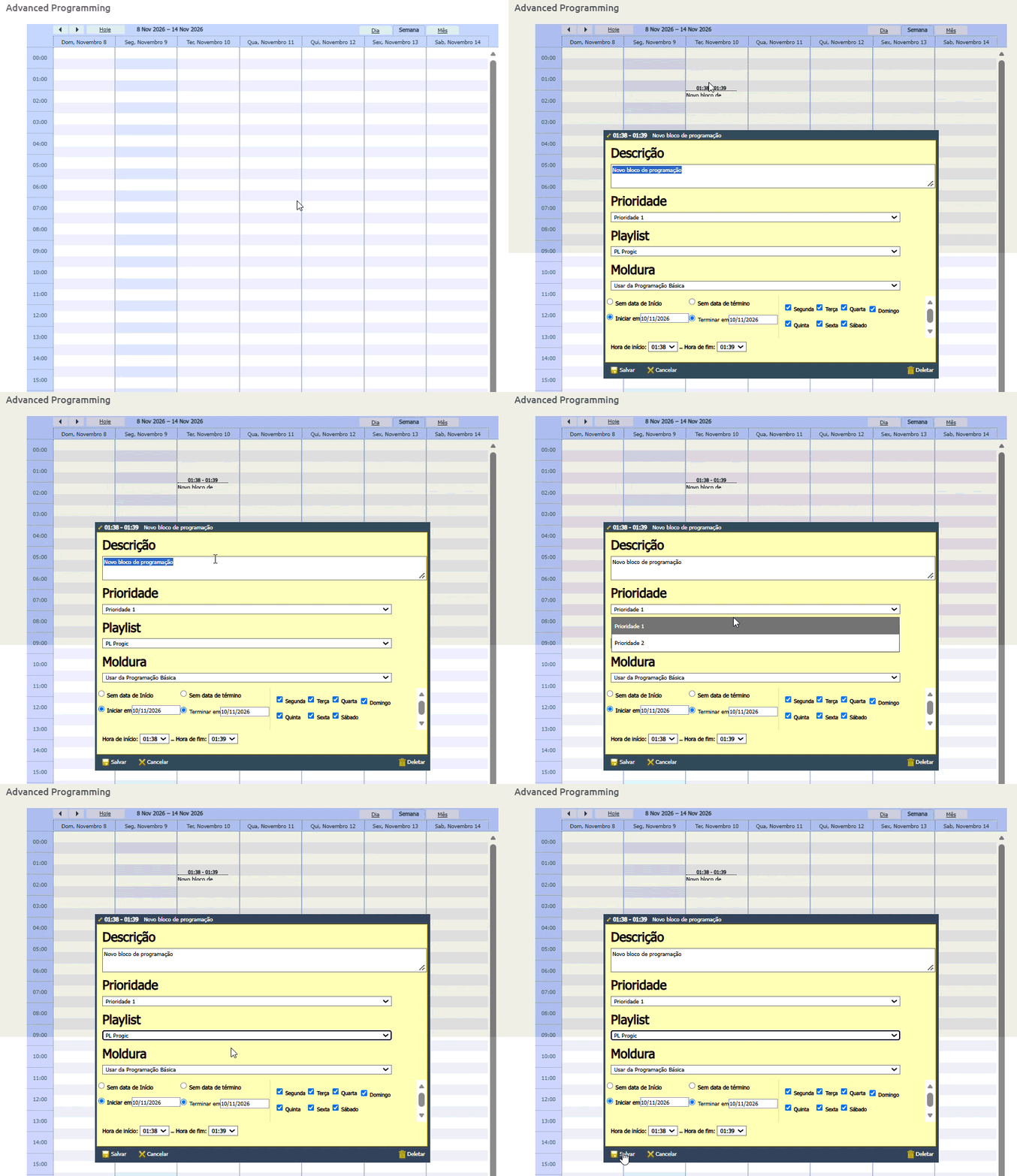
A window will open. Identify the advanced scheduling block with a description. Set the Priority; the higher the number, the higher the priority. Select the playlist you want for this period. Select the frame if necessary.
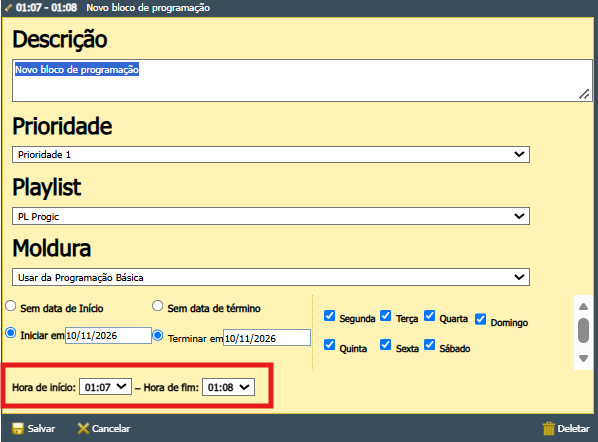
Start time and end time are required fields.
If you want the advanced scheduling for this block to have a start and end date, fill in the “Start on:” and “End on:” fields, or use the No end date option.
4th – Click Save in the lower-left corner, or CANCEL to cancel the settings and return to the previous screen.
5th – To delete an existing schedule, repeat the first two options in this tutorial and click DELETE in the lower-right corner.