Skip to content
English
  • There are no suggestions because the search field is empty.

[Progic] Live Streaming Player 2: What is it? How do I use it?

How to communicate in real time with Progic Player 2

Display real-time content on your Corporate TV screens using Progic Players 2. With the Live Streaming feature, you can send live video directly to your Progic players in real time. This feature is ideal for corporate events, urgent announcements, meetings, training sessions e any content that needs to be broadcast instantly.

In this article you will see: 

                          What is Live Streaming?

                          It is a way to display a live video stream on your company's screens using Progic Manager.

                          You can broadcast:

                          • A live stream that is already running on YouTube.
                          • A stream created by you using tools such as:
                            • OBS Studio
                            • Microsoft Teams
                            • Google Meet
                            • Other compatible platforms

                                      Who can use it?

                                      Live stream management is available only to administrator users in Progic Manager.

                                      Before you start

                                      Before creating a live stream, make sure that:

                                      • You have administrator access to Progic Manager.
                                      • The players have a stable Internet connection.
                                      • You are using Progic Player 2.
                                      • The YouTube live stream is active and properly configured (when applicable).

                                              How to create a live stream

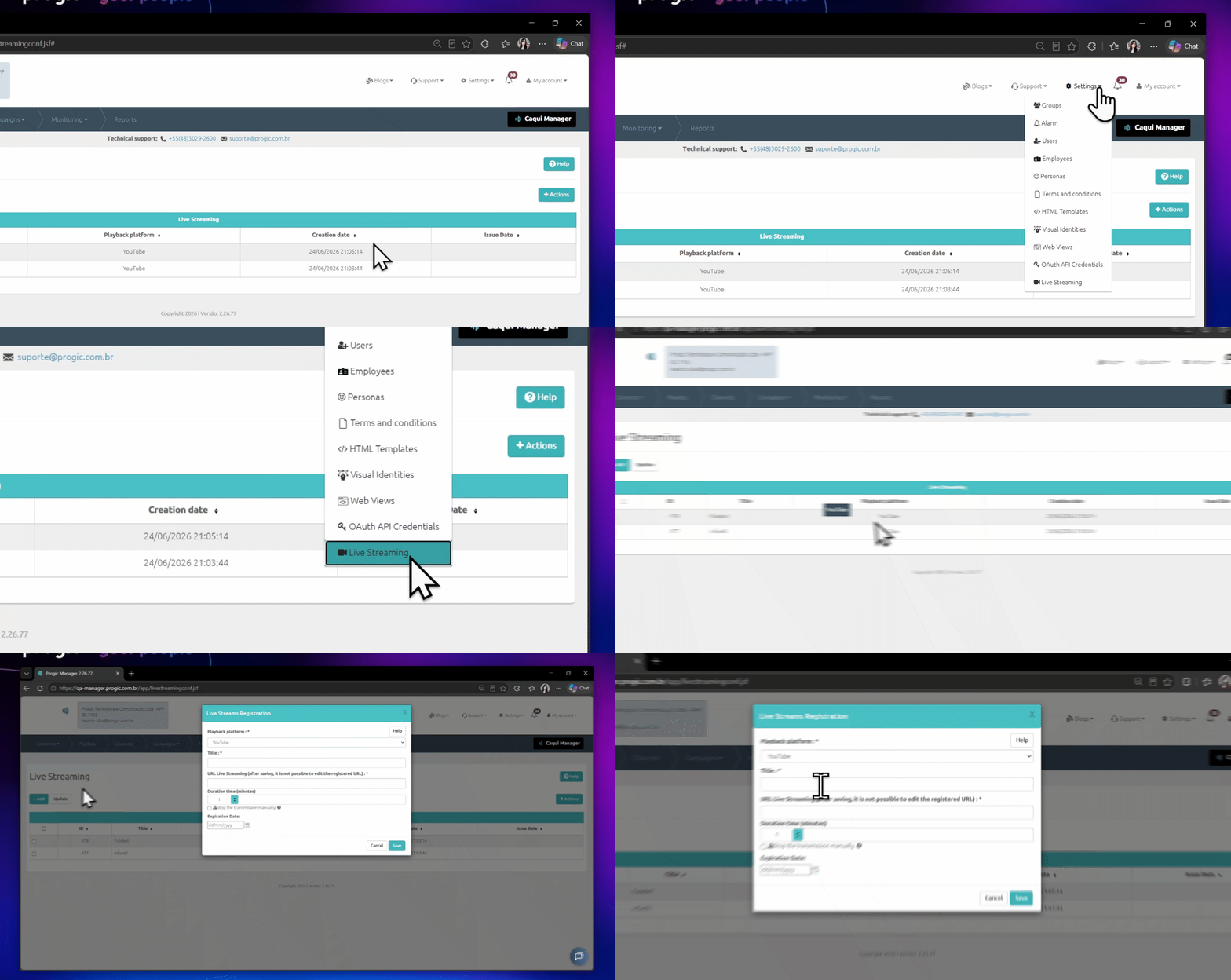
                                              1. Access Progic Manager.
                                              2. Click Settings > Live Streaming.
                                              3. In the stream list, click + Add.
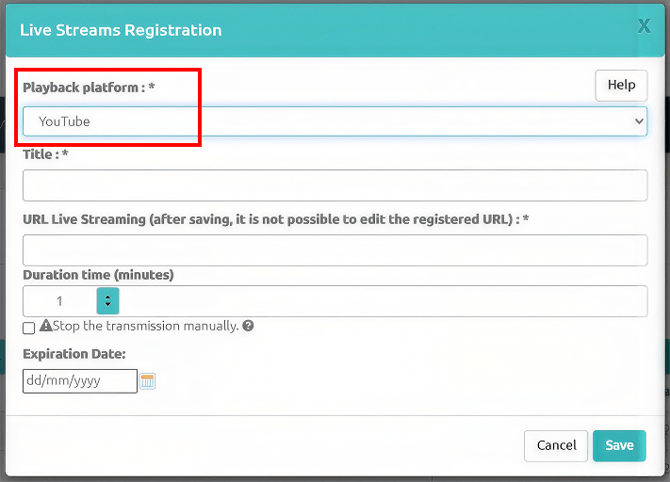
                                              4. Fill in the stream information.
                                              5. Save the configuration.

                                                        Transmissões ao Vivo EN P1

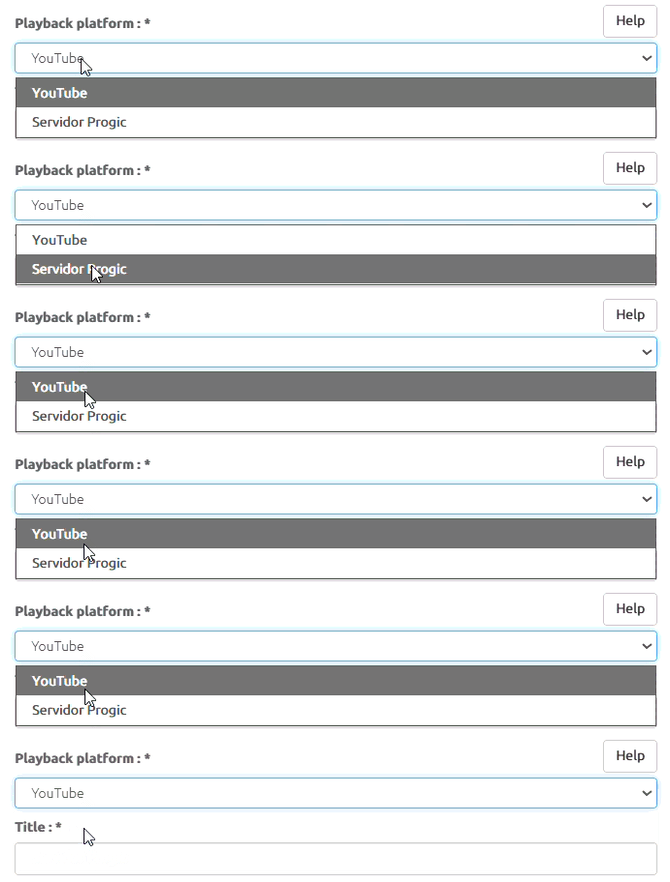
                                                        Choose the streaming platform

                                                        When creating a stream, you must select the playback platform.

                                                        ⚠️ Important: the platform cannot be changed after the stream has been created.
                                                        Transmissões ao Vivo EN P2

                                                        Option 1: YouTube

                                                        Select this option to broadcast a live stream that is already running on YouTube.
                                                        Transmissões ao Vivo EN P3

                                                        Stream URL

                                                        Enter the full live stream URL.

                                                        Example:

                                                        https://www.youtube.com/watch?v=XXXXXXXXXXX

                                                        Requirements

                                                        • The stream must be active.
                                                        • The live stream must be:
                                                          • Public; or
                                                          • Unlisted.
                                                        • Private live streams are not supported.

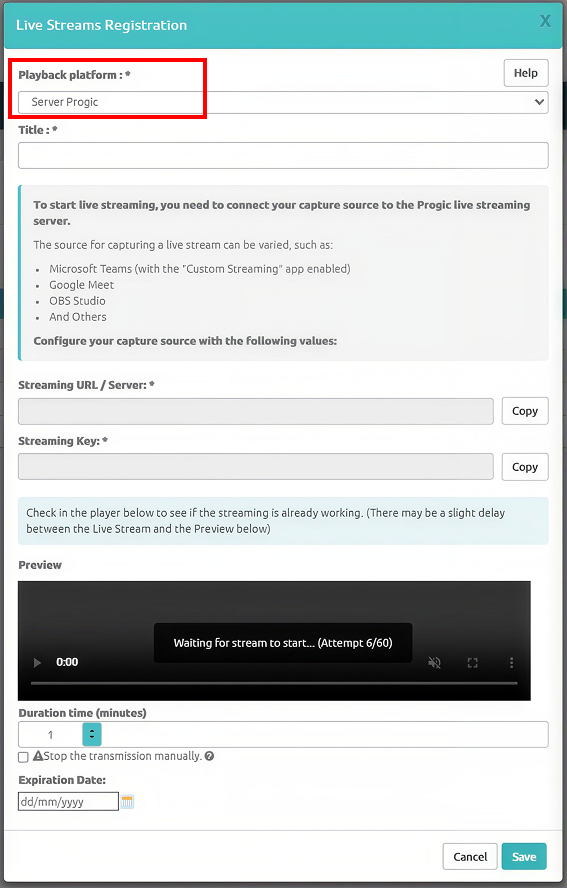
                                                                  Option 2: Progic Server (RTMP)

                                                                  Use this option to stream directly through Progic’s infrastructure using RTMP-compatible software.
                                                                  Transmissões ao Vivo EN P4

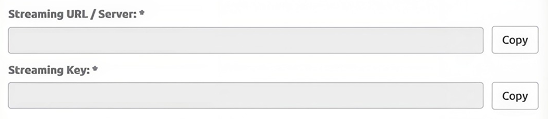
                                                                  When selecting this option, the following will be provided:

                                                                  • RTMP URL/Server
                                                                  • Stream Key

                                                                      Transmissões ao Vivo EN P5

                                                                      This information must be configured in the software used for broadcasting.

                                                                      Compatible tools

                                                                      • Microsoft Teams (with the "Custom Streaming" application)
                                                                      • Google Meet
                                                                      • OBS Studio
                                                                      • Wirecast
                                                                      • vMix
                                                                      • Other RTMP-compatible software

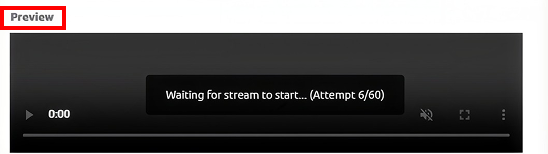
                                                                                  Stream Preview

                                                                                  Before starting the stream on the players, use the Preview feature to verify that the video is being received correctly.
                                                                                  Transmissões ao Vivo EN P6

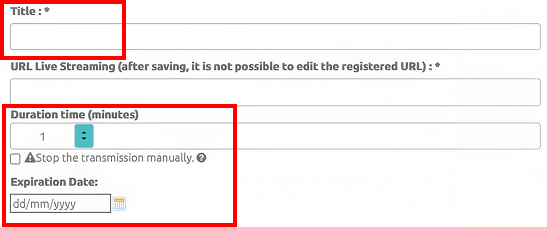
                                                                                  Except for the "Expiration Date" field, all fields below must be completed for both types of streaming:
                                                                                  Transmissões ao Vivo EN P7

                                                                                  Field configuration

                                                                                  Stream Title

                                                                                  Set a name to identify the stream.

                                                                                  Limit: up to 100 characters.

                                                                                  Duration Time (minutes)

                                                                                  Specify how long the stream should remain active on the players.

                                                                                  At the end of the configured period:

                                                                                  • The stream will end.
                                                                                  • Regular programming will automatically resume.

                                                                                      💡 Tip: if you are unsure of the event duration, enter a longer time and manually end the stream when necessary.

                                                                                      Stop Manually

                                                                                      Enable this option to keep the stream active until it is manually ended.

                                                                                      When enabled:

                                                                                      • The duration field is ignored.
                                                                                      • The stream remains active indefinitely.
                                                                                      • Ending the stream requires manual action.

                                                                                            ⚠️ Remember to stop the stream when the event ends.

                                                                                            Expiration Date

                                                                                            Optional field used to define how long the stream can be used.

                                                                                            After the configured date:

                                                                                            • The stream will remain registered.
                                                                                            • It can no longer be started on players.

                                                                                                Recommended workflow

                                                                                                To ensure a smooth streaming experience:

                                                                                                1. Create the stream.
                                                                                                2. Configure the video source (when using RTMP).
                                                                                                3. Test the Preview.
                                                                                                4. Start the stream on the desired players.
                                                                                                5. Monitor the stream during the event.
                                                                                                6. End the stream when the event is over (when using manual mode).

                                                                                                            Important notes

                                                                                                            Compatibility

                                                                                                            • Compatible only with Progic Player 2.
                                                                                                            • Players must have a stable Internet connection

                                                                                                                YouTube

                                                                                                                • Only public or unlisted live streams are supported.
                                                                                                                • The youtube.com domain must be allowed on the company's networ

                                                                                                                    Copyright and LGPD

                                                                                                                    • We do not recommend broadcasting third-party content.
                                                                                                                    • Make sure you have the necessary permissions to broadcast any content.

                                                                                                                        Third-party tools

                                                                                                                        If you use tools such as:

                                                                                                                        • Google Meet
                                                                                                                        • Zoom
                                                                                                                        • StreamYard
                                                                                                                        • Microsoft Teams

                                                                                                                                Make sure your license includes live streaming features.