A group is a way to classify and organize content and players within Progic Manager. Please note that creating groups is a prerequisite for using sub-users in the system and for content segmentation.
By default, when content is created using an Administrator account, no group is assigned. Therefore, media that does not have a defined group can only be accessed by the administrator. On the other hand, media that belongs to a group cannot be accessed by users who are not members of that group.
To create groups, follow the steps below:
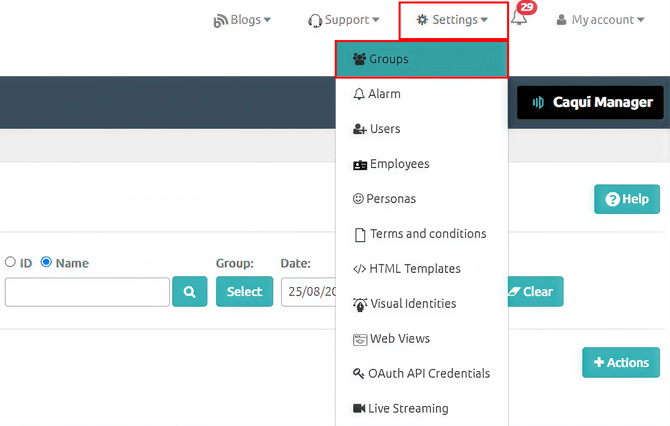
- Go to Settings> Groups screen.
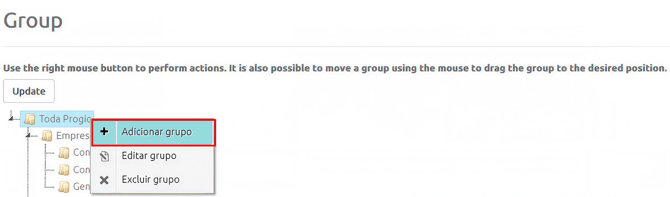
- Right-click on the All group and select + Adicionar Grupo.
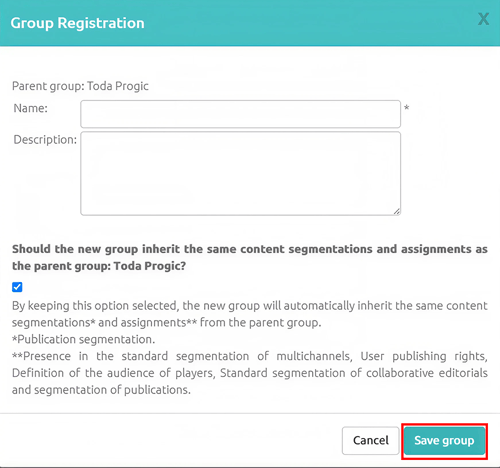
- Fill in the group information and click Save Group.
- You can create subgroups by right-clicking an existing group within Manager.
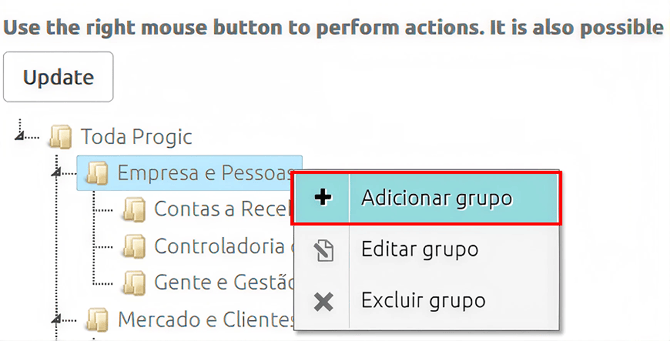
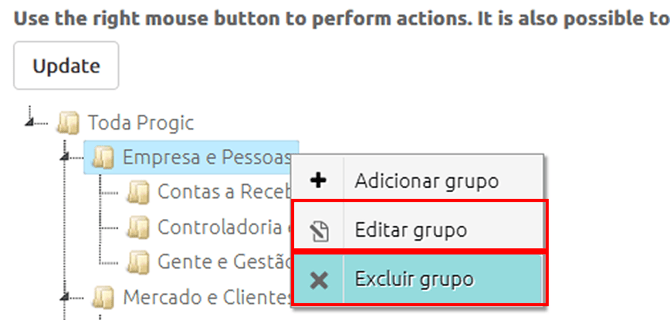
- You can also use the Edit (Editar) or Delete (Excluir) group options as needed.