
Playlists are system elements that allow you to add and arrange the media that will be displayed on screens. To perform this operation, simply select an available media item and add it to the playlist media.
To better illustrate playlist creation, follow the steps below:
- Click the Playlists menu.

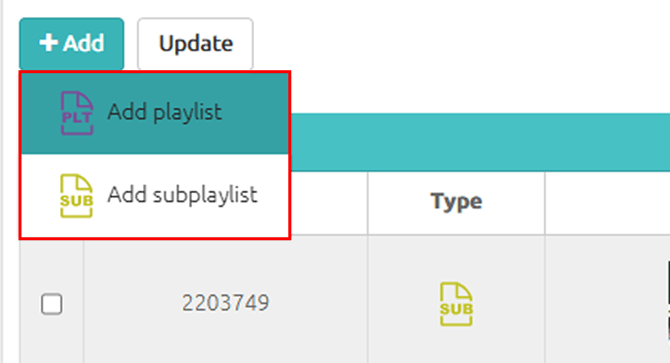
- Click Add → Add Playlist.
- Enter the playlist name.
- Add the Available Media to the Playlist Media. You can add media to your playlist in 3 (three) ways:
- Drag the desired media to the playlist (this option allows you to insert it in any order);
- Click the + in the upper-right corner of the desired media (adds it to the end of the playlist);
- Or double-click the desired media (adds it to the end of the playlist).
The order in which the media are added will be exactly the same order in which they will be played.
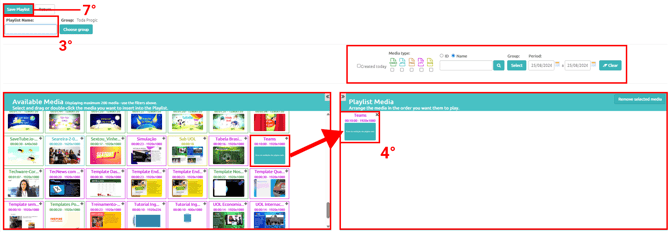
- You can use the search filters to help organize and locate available media. This option is especially useful for users who have many media files registered in the system.
- Save the created playlist and add it to a channel.